Best AI Tools for Web Designers in 2026 – The Complete Honest Guide


Everyone has published their “best AI tools for web designers” list. Figma AI. Framer. ChatGPT. Midjourney. You’ve seen it. You’ve read it. Possibly twelve times.
This isn’t that list.
What you’ll find here are the tools most designers are still sleeping on – the ones that are quietly transforming real workflows, saving real hours, and producing real results for freelancers and agencies globally. Plus a completely honest take on the tools everyone talks about, and which ones actually deserve the hype.
Here’s something most of these roundups won’t tell you: the average web designer in 2026 is only using 30% of the AI capability available to them. Not because the tools don’t exist – but because nobody is telling them about the right ones in the right order.
Let’s fix that.
Before getting to tools, here’s a framework that will save you hours of wasted trials.
The AI design tool market in 2026 has split into two fundamentally different categories, and most designers are picking from the wrong one:
Lane 1 – Generation tools produce complete, deployable websites or design assets from a prompt. Framer AI, Playcode, Durable, Lovable. Fast. Visually impressive. Output you can publish.
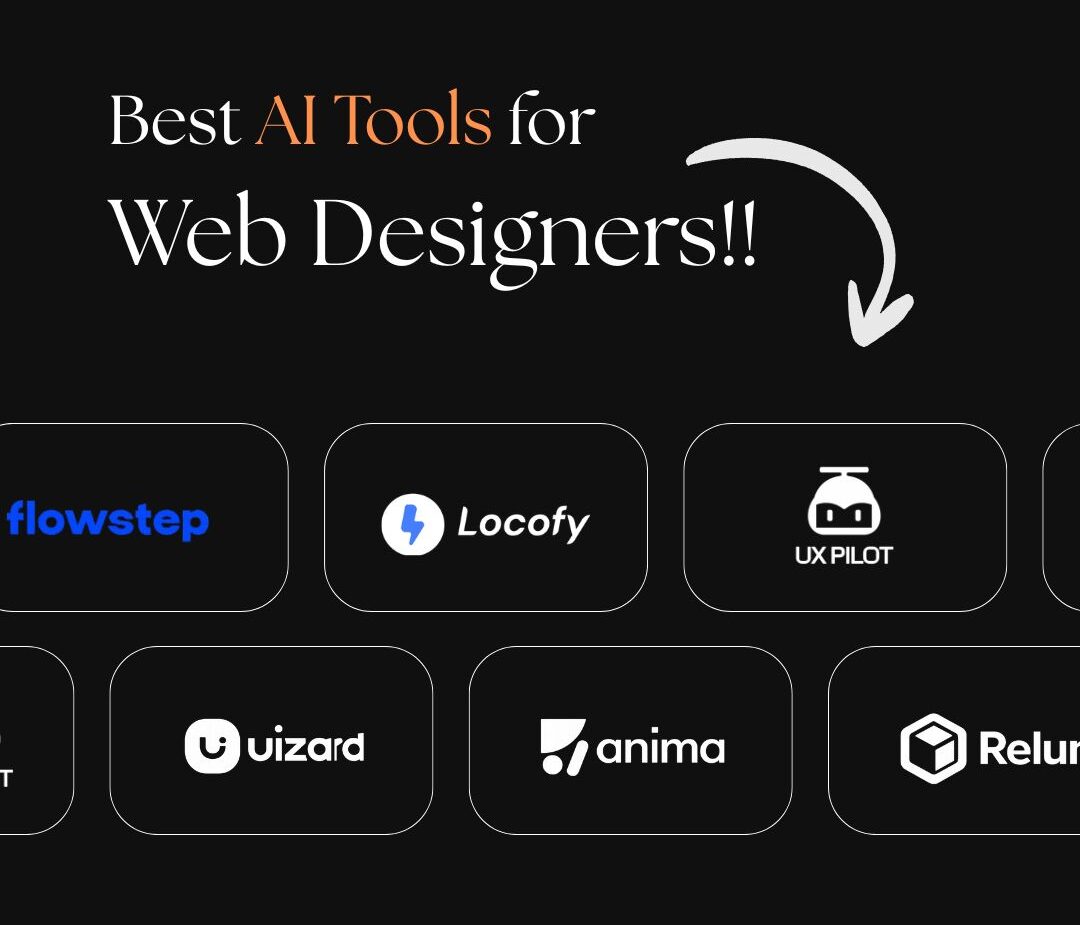
Lane 2 – Augmentation tools integrate into your existing workflow – inside Figma, inside your browser, alongside your design process – making everything you already do faster and smarter. Flowstep, Relume, Locofy, UX Pilot, Anima, Microsoft Clarity.
Most designers think they need Lane 1 when they actually need Lane 2. Generation tools are excellent for quick client concepts and early-stage validation. Augmentation tools are what build sustainable, efficient professional workflows.
The smartest designers use both – but they understand the difference first.
Most AI design tools generate a single screen. Flowstep generates connected multi-screen user flows – login, dashboard, settings, onboarding – from a single prompt. That’s a fundamentally different capability.
Here’s what makes it genuinely different: you describe a product in natural language (“I need a food delivery app with restaurant cards and a map view”), and Flowstep generates actual UI screens with proper hierarchy, spacing, and design decisions – not wireframes, not rough concepts. Real interface designs that you can then paste directly into Figma with a single keyboard shortcut. No plugin. No export file. Just Ctrl+C in Flowstep and Ctrl+V in Figma.
For designers who constantly start projects by sketching user flows, this is the biggest time-saver on this list.
Best for: Product designers, UX designers, agencies building multi-page applications and web apps.
Pricing: Free plan available. Paid from $15/month. Try Flowstep →
This is the tool that closes the most expensive gap in web design: the handoff between a finished Figma design and live, production-ready code.
Locofy takes your Figma or Adobe XD designs and converts them into clean frontend code – React, Next.js, Vue, or HTML/CSS. The code quality has improved dramatically; earlier versions produced messy, over-nested output. Current builds generate proper component structures with responsive utilities that a developer can work with as a serious starting point rather than a cleanup project.
For freelancers working without a developer, or agencies that want to reduce development hours on straightforward builds, Locofy can cut frontend development time by 40 – 60%.
Best for: Designers who hand off to developers, freelancers working solo on client builds.
Pricing: Free plan available. Paid from $17/month. Try Locofy→
Most AI design tools generate. UX Pilot validates. And that distinction is worth more than people realize.
Beyond wireframe and high-fidelity UI generation, UX Pilot includes predictive heatmaps – simulations of where users will look and click on your design before you’ve run a single usability test. It also includes a Design Review Bot that catches accessibility issues, contrast problems, and layout inconsistencies automatically.
For designers who want to walk into client presentations with evidence rather than just aesthetics, UX Pilot changes what that conversation looks like. “Here’s the design, and here’s where our research shows users will focus” is a fundamentally more powerful pitch than “here’s how it looks.”
Best for: UX designers, agencies doing strategic work, designers who present to sophisticated clients.
Pricing: From $19/month. Try UX Pilot→
Uizard’s Autodesigner 2.0 does something genuinely useful: it converts hand-drawn sketches, screenshots, and text descriptions into editable digital mockups. You can iterate conversationally — “make the header darker,” “add a search bar” — without regenerating the entire design from scratch.
The screenshot scanner is particularly practical. Upload any app or website you find inspiring, and Uizard gives you an editable version. For designers who regularly get “make it look like this” references from clients, this is immediately useful.
It’s also the most accessible tool on this list for non-designers — making it excellent for early-stage client collaboration where stakeholders want to see ideas quickly without waiting for a full design round.
Best for: Early-stage ideation, client collaboration, rapid prototyping, non-technical stakeholders.
Pricing: Free tier available (limited). Paid from $12/month. Try Uizard→
In 2026, the line between prototype and production is dissolving. Anima converts Figma, XD, and Sketch designs into functional, testable applications — not static mockups. It preserves responsive layouts, component structure, and design tokens across React, Vue, and Tailwind CSS outputs.
The practical implication: a prototype built with Anima is often functional enough to show real users for testing, not just stakeholders for approval. For agencies running user research alongside design, this cuts the feedback loop significantly.
Best for: Design teams running usability testing, agencies bridging design and development.
Pricing: Free plan available. Paid from $31/month. Try Anima→
Relume solves the most time-consuming part of a web design project that nobody talks about: generating the sitemap and wireframe architecture before a single visual design decision is made.
Describe the business in one prompt, and Relume generates a complete site architecture — pages, sections, component layouts — that you can then drag into Figma or Webflow for design. For agencies pitching new clients, this reduces the time from brief to first presentation from days to hours.
The insight most designers miss: Relume isn’t for building websites. It’s for structuring them. Use it at the start of every project and you’ll spend less time reorganising sections mid-design when the client asks why the testimonials are at the bottom.
Best for: Freelancers and agencies in the proposal and wireframing stage of new projects.
Pricing: Free tier available. Paid from $32/month. Try Relume→
Search terms: Attention Insight AI, visual attention heatmap, AI eye tracking tool for designers
This is the tool that almost no web designer in India is using – and it’s one of the most commercially valuable on this list.
Attention Insight uses AI trained on eye-tracking data to predict, within seconds, where users will focus their attention on any design. Upload a webpage screenshot or design mockup, and it generates a heatmap showing the areas of highest and lowest visual attention – before the site goes live.
For conversion-focused design work, this is extraordinary. You can validate CTA placement, check whether your headline is getting attention, and identify dead zones in your layout – all without spending a rupee on user testing.
Best for: Conversion-focused designers, agencies who want to prove design decisions with data.
Pricing: Free trial available. Paid from $29/month. Try Attention Insight→
Search terms: 10Web AI website builder, AI WordPress builder, 10Web review 2026
10Web combines AI website generation with managed WordPress hosting – making it uniquely valuable for designers who work in the WordPress ecosystem and don’t want to rebuild their entire workflow around a new platform.
It generates complete WordPress sites from descriptions, which you then customise with an Elementor-based editor. The website cloning feature is particularly practical: enter any URL, and 10Web replicates the layout structure so you can use it as a starting point for a client project. Over 2 million websites have been generated on the platform.
For Indian web designers who work primarily with WordPress and Elementor, this is the most practically relevant AI builder on the market.
Best for: WordPress designers, agencies managing multiple client sites.
Pricing: From $10/month (includes hosting + AI tools). Try 10Web→
While Midjourney produces arguably better images, Adobe Firefly has one advantage that matters commercially: it is trained exclusively on licensed content, making every image it generates safe for commercial use without copyright risk.
For designers building client websites – where the client will be using those images commercially – this matters. Firefly integrates directly into Photoshop and Illustrator, making it the smoothest workflow for designers already in the Adobe ecosystem. Generative Fill, Generative Expand, and text-to-image features are all genuinely useful in real design work.
Best for: Designers in the Adobe ecosystem, any project where commercial image rights matter.
Pricing: Included in Adobe Creative Cloud subscriptions. Standalone plans from $4.99/month. Try Adobe Firefly→
Search terms: Microsoft Clarity heatmap, free heatmap tool, user behaviour analytics free
Completely free. No usage limits. AI-powered heatmaps, session recordings, and behaviour insights that would cost hundreds per month from competing tools.
The AI summary feature in Clarity is the part most people don’t use: it automatically surfaces the most important insights from your session recordings — rage clicks, dead clicks, scroll depth anomalies — without you having to watch hours of recordings manually.
For designers, this is invaluable for two things: proving the value of your design decisions to clients using real data, and identifying conversion problems on sites you’ve built before clients start blaming the designer.
Install it on every website you build. There is no reason not to.
Best for: Every web designer. No exceptions.
Pricing: Free. Try Microsoft Clarity→
The AI features built into Figma in 2026 are meaningfully better than the gimmicky additions of 2023. Smart layout suggestions, responsive breakpoint generation, and auto-tidying components genuinely save time on real projects. The key advantage is context – Figma AI understands your existing design system and maintains consistency across screens automatically.
The part people don’t mention: it’s most useful for designers who already have strong Figma fundamentals. If your base Figma skills are weak, AI won’t compensate – it’ll just produce mediocre work faster.
Try figma.com
Framer produces genuinely high-quality visual design from prompts – proper typography, whitespace, visual hierarchy. For marketing sites, portfolios, and landing pages, it’s excellent. For complex client builds with custom functionality, it hits a ceiling quickly.
The honest limitation: Framer sites can look samey at scale because the AI draws from similar design principles. Brand differentiation on Framer requires significant manual input on top of the generated baseline.
Pricing: Free for basic sites. Pro from $5/month.
Try framer.com
Both are genuinely useful for web design work, but for different things.
Claude excels at longer strategic thinking — brand voice development, detailed copy for complex service businesses, blog content, and SEO writing. It produces more nuanced, less generic output than ChatGPT for copywriting tasks, particularly when given detailed context about the brand and audience.
ChatGPT excels at quick code generation, CSS fixes, JavaScript snippets, and problem-solving on the fly. It also handles rapid content variations — generating 10 headline options in seconds — better than most tools.
Use both. They complement each other rather than compete.
Claude pricing: Free tier. Pro from $20/month at claude.ai
ChatGPT pricing: Free tier. Plus from $20/month at chatgpt.com
No tool has matched Midjourney’s image quality for web design visual assets. The most visually striking websites of 2026 use Midjourney-generated imagery — and the ability to create perfectly on-brand visuals without a photoshoot is commercially significant for client work.
Use it for hero images, backgrounds, conceptual visuals, and brand-specific illustrations. Workflow: generate in Midjourney, bring into Figma or directly into your web builder.
Pricing: From $10/month at midjourney.com
This stack costs nothing and covers every phase of basic design work.
Add to the free stack:
This is the professional freelancer stack. It covers design, code, visuals, and behaviour analysis for under ₹4,000/month – less than a single client hour for most designers.
Add:
This is the full agency stack. Every phase from strategy to launch to validation is covered.
Mistake 1 – Using AI to generate, not augment. The most common mistake is treating AI as a shortcut to the final output. The designers who get the most value use AI to accelerate the process — faster wireframes, faster copy drafts, faster code – while applying human judgment to every decision point.
Mistake 2 – Using too many tools. Ten tools used superficially produce worse results than three tools used deeply. Build a stack and master it. Switching tools constantly resets your learning curve and fragments your workflow.
Mistake 3 – Ignoring behaviour analytics. Most designers install an AI image tool before they install Microsoft Clarity. That’s backwards. Understanding how users actually behave on websites you’ve already built is the highest-leverage thing you can do for every future project – and it’s free.
Agentic AI design is replacing static generation. Tools that plan, execute, and iterate inside your design environment – rather than just generating a one-shot output – are becoming the new standard. Flowstep’s multi-screen generation is an early example. Expect this to expand significantly.
AI personalization at the component level is beginning to emerge — websites that adapt their layout, copy, and CTAs based on individual visitor behaviour in real time. This is currently available through enterprise platforms but will reach mid-market tools within 12–18 months.
Voice-to-design interfaces – describing a layout verbally and having it generated in real time – are in active development at multiple major platforms. Not mainstream yet, but worth tracking.